



Ranking in the Google Maps 3-Pack is one of the fastest ways for roofers to generate phone calls.
When homeowners search “roofer near me,” the businesses shown under the map get the clicks. If you’re not there, you’re invisible at the exact moment buying intent is highest.
This Google Maps optimization for roofing guide explains how roofing companies earn those spots through proper Google Business Profile setup, reviews, and citations.
Why the Google Map 3-Pack Matters for Roofers
Google Maps optimization for roofing has one objective: ranking in the Map 3-Pack.
The Map 3-Pack is the group of three local businesses that appear directly under the map when someone searches “roofer near me” or “roof repair [city].”
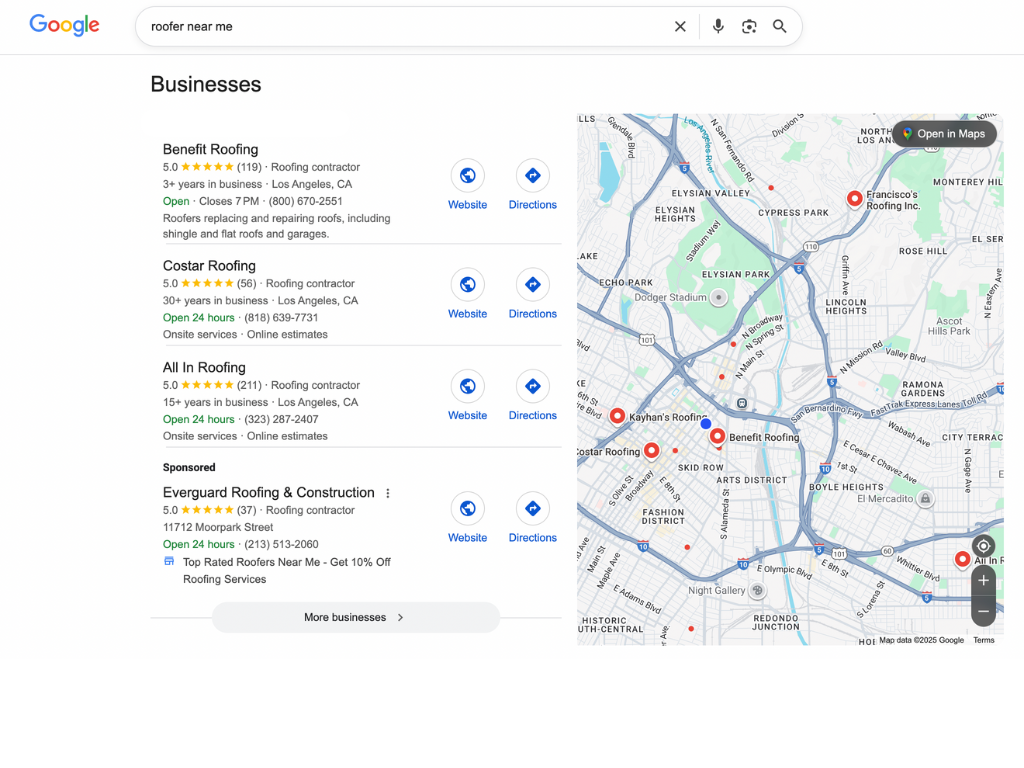
For roofing contractors, this section drives more phone calls than almost any other spot in search results. It works hand-in-hand with the rest of your local SEO — a strong Google Business Profile and solid on-page optimization feed each other, and you need both to show up and convert.
Here’s why it works.
Homeowners searching for a roofer usually have a problem that needs fixing now. They’re not researching options, they’re looking for someone to call.
The Map 3-Pack puts the most important decision factors front and center:
- Business name
- Star rating
- Phone number
- Hours
Everything’s visible before a user scrolls or clicks anything else.
Google decides who shows up in the Map 3-Pack using three factors:
- Relevance: How closely your Google Business Profile matches the search
- Distance: How close your business is to the searcher
- Prominence: How established your business appears online, based on reviews, citations, and overall authority
You can’t control distance. But relevance and prominence? Those are entirely within your control, and that’s where Google Maps optimization for roofing works.
How to set up your Google Business Profile for roofing leads
To show up on Google Maps, you need a Google Business Profile (GBP).
Let’s build, or clean up, your GBP step by step.
Quick Start: Create or Access Your Google Business Profile
Before we get into Google Maps optimization for roofing, let’s make sure you actually have a GBP to work with.
If you already have one and move on. If not, follow these steps to get set up.
- Sign in to Google and Open Google Maps: Use the Google account you want associated with your business. This should be an account you’ll keep long-term.
- Search for Your Business Name: If your business already exists, you’ll see a profile you can claim. If nothing appears, you’ll have the option to add it.
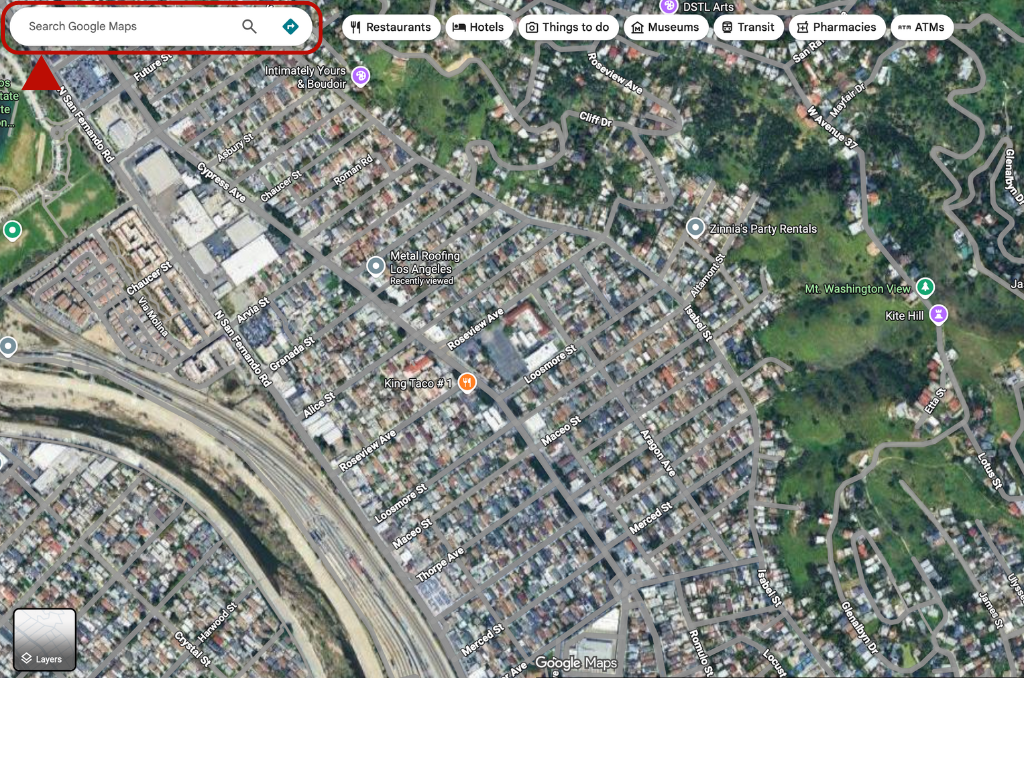
- Add Your Business to the Map: Select the option to add a business, then place the marker at your business's location or operating address.
- Enter Your Core Business Details: Add your business name, category, service area, phone number, and website. Keep everything accurate and consistent; this matters more than most people realize.
- Submit and Verify Your Profile: Google will ask you to verify ownership, typically via a postcard, phone, or email. Until verification is complete, your profile won’t perform well.

That’s it. Once your profile is created and verified, you can begin optimizing it.
Now, let’s go step by step and turn that basic listing into a profile that generates roofing leads.
Choose the Right Primary and Secondary Categories
Your primary category tells Google what type of business you are. For almost every roofing company, this should be “Roofing Contractor.”
This choice directly affects which searches you’re eligible to appear for.
Secondary categories help expand your reach. Add them only if you actually offer the service. Common examples:
- Roof Repair Service
- Gutter Cleaning Service
- Siding Contractor
This is one of the easiest wins. Roofing companies often miss leads because they don't add categories that match the services they already provide.
Write a Business Description That Converts
You get 750 characters to describe your business. That’s enough for one clear, focused paragraph. Use it to explain:
- What roofing services do you offer
- The areas you serve
- What homeowners can expect when they contact you
The goal here should be the same as when you write your roofing blog: write for real people (not search engines). Keyword stuffing looks spammy and doesn’t improve rankings. Clear, straightforward language builds trust and performs better.

Add Photos That Build Trust
Photos play a bigger role than most roofers realize. Google favors active profiles with fresh images, and homeowners want proof before they call. Upload:
- Completed roofing projects
- Before-and-after photos
- Your crew on-site
- Branded trucks or signage
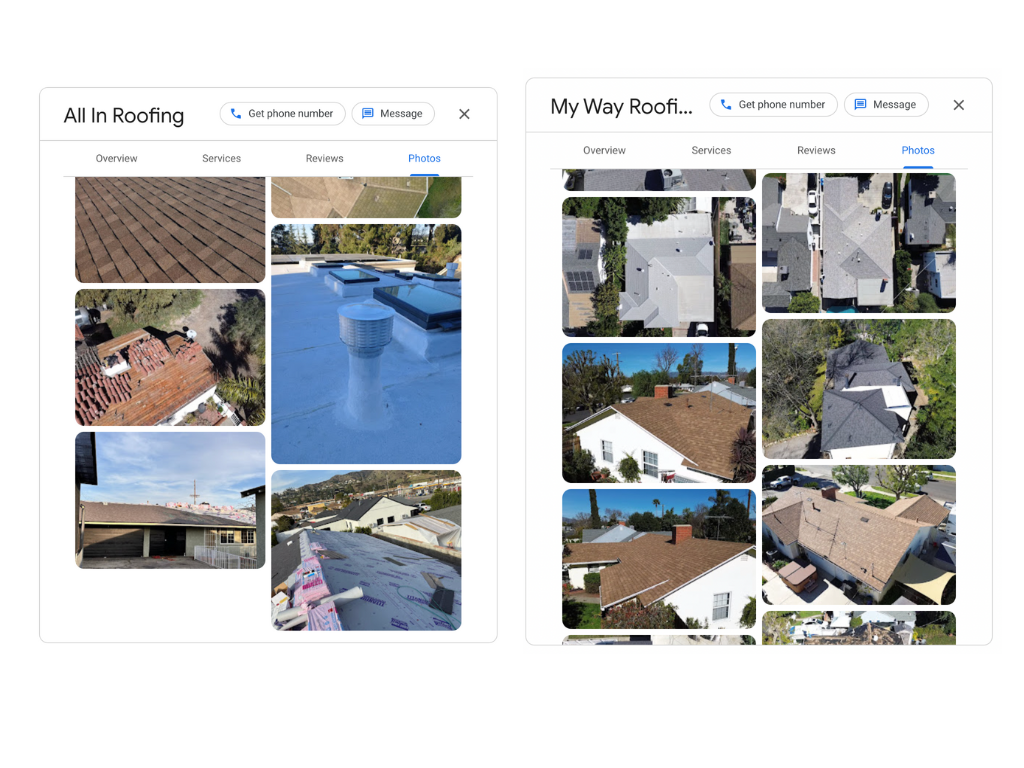
You can also add location data to photos (geotagging). It may strengthen local signals, though results vary. It’s optional, but worth doing if it fits your workflow.
Set Your Service Areas Accurately
If customers don’t visit a physical office, set your profile as a service-area business. You can define coverage using:
- City names
- ZIP codes
- A radius from your address
Avoid the common mistake of setting service areas too wide. Claiming a 100-mile radius often hurts performance. Google is less likely to trust that you’re truly local to any specific city.
Tighter, more accurate service areas typically perform better and support roofing lead generation.
Use Google Posts to Show Activity
Google Posts are short updates that appear directly on your profile. They’re an easy way to show Google and homeowners that your business is active.
Good post ideas include:
- Recently completed jobs
- Storm or seasonal updates
- Special offers
- Company announcements (maybe you’re leading a new roofing trend)
Posting even once per week helps. Profiles that remain untouched for months tend to lose visibility.
How to Get More Google Reviews for Your Roofing Company
Reviews are one of the strongest ranking signals for the Google Map 3-Pack. We can’t discuss Google Maps optimization for roofing without reviews, since they also determine who gets the call.
A roofing company with 47 five-star reviews will almost always win over one with 8 reviews, even if the services are similar.
Ask for Reviews After Every Completed Job
Timing matters. Ask for a review when the customer is happiest, which is right after the job is finished and they’re looking at their new roof.
Make the process frictionless:
- Send a text message with a direct link to your Google review page
- Include a QR code on invoices or completion emails
I always include this in the roofing reputation management pack for our clients! The fewer steps involved, the more reviews you’ll get. Most homeowners are willing to help; you just need to make it easy.
Respond to Reviews to Strengthen Local Rankings
Reply to every review, positive or negative.
Responding shows Google that your business is active and engaged. It also reassures homeowners reading through reviews that you’re paying attention. Keep responses simple:
- Thank the customer
- Mention the service performed
- Reference the location naturally
For example: “Thanks for trusting us with your roof replacement in [City]. We appreciate the review.”
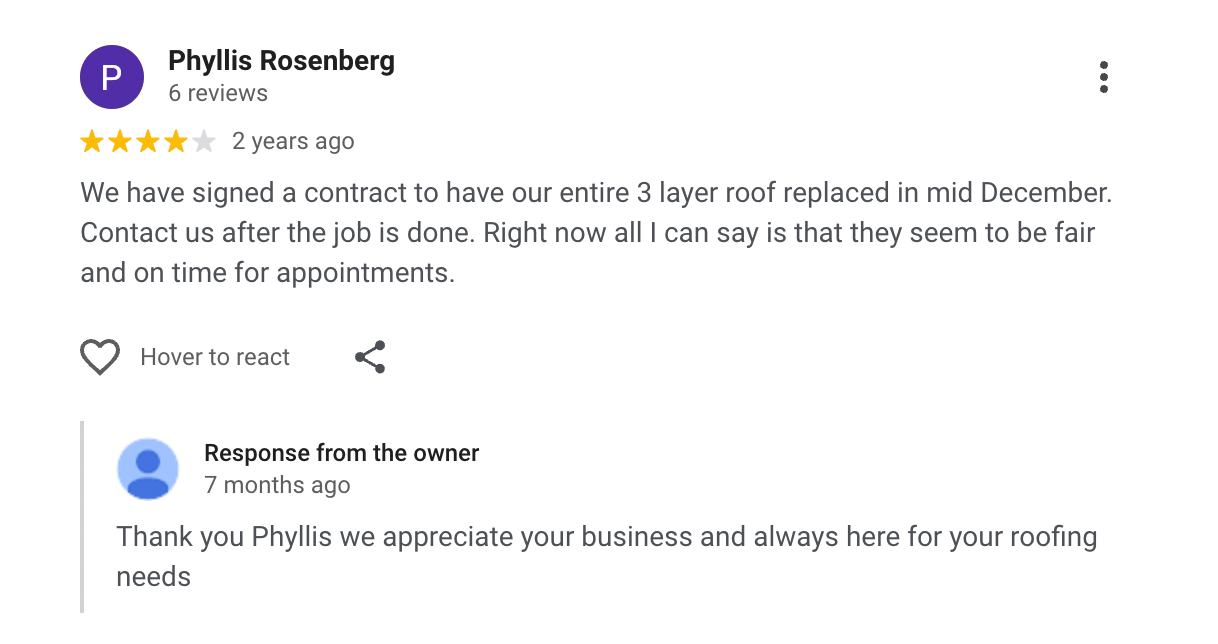
This reinforces relevance without sounding forced.
Handle Negative Reviews Professionally
Negative reviews happen. What matters is how you respond.
Stay calm and professional. Acknowledge the concern, offer to make it right, and move the conversation offline.
A thoughtful response often builds more trust than a perfect review score. Homeowners reading reviews care more about how problems are handled than whether a business is flawless.
Important to Note: If you receive fake or malicious reviews from competitors (it happens), you can flag them through Google’s review removal process. Not every request is approved, but it’s worth submitting when reviews clearly violate policy.
Citations as a Trust Signal for the Google Map 3-Pack
Citations matter for Google Maps rankings because they establish trust.
When Google selects which roofing companies appear in the Map 3-Pack, it verifies that a business is legitimate, established, and located where it claims to be. Citations help confirm that.
A citation is any online mention of your business name, address, and phone number (NAP). Google cross-checks these details across trusted sites before elevating a business into the Map 3-Pack. This makes citations a supporting layer of Google Maps optimization for roofing.
Why NAP Accuracy Matters for the Map Pack
Google expects your business details to match across all channels.
If your Google Business Profile lists “123 Main Street” but another site lists “123 Main St,” that raises doubts. Repeated inconsistencies weaken Google’s confidence in your location.
Common problems:
- Old phone numbers
- Previous addresses
- Variations in business names
One mismatch won’t hurt you. Many of them can keep you out of the top three.
Citation Sources That Help Maps Rankings
Focus only on sources Google already trusts. In your roofing link-building strategy, quality matters more than volume. Prioritize:
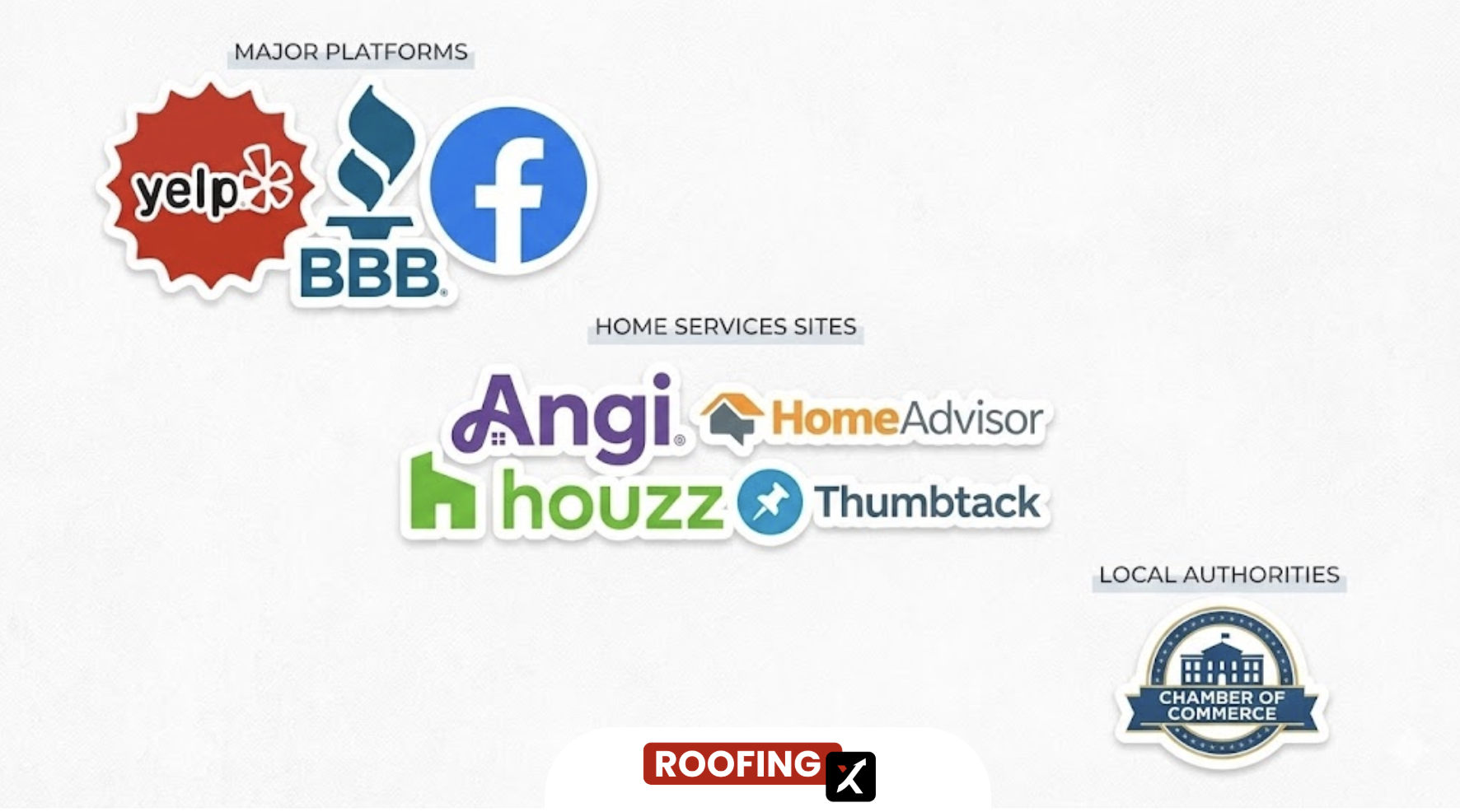
- Major platforms: Yelp, Better Business Bureau, Facebook
- Home services sites: Angi, HomeAdvisor, Houzz, Thumbtack
- Local authorities: Chamber of Commerce listings
Ten clean citations outperform dozens of inconsistent ones.
Remove Duplicates to Strengthen Trust
Duplicate listings dilute ranking signals. If Google finds multiple versions of your business, it won’t know which one represents the real location.
Search for your business name and phone number to identify any old or incorrect listings. Claim them, then request a merge or removal. This won’t create an immediate ranking jump, but it removes a common barrier to Map Pack visibility.
There are many missed optimization opportunities, as discussed above.
If you want to see the results these can deliver, check out our case study on a Michigan-based roofing company that increased leads by 100% after addressing local opportunities.
Google Maps Ranking Mistakes That Hurt Roofing Companies
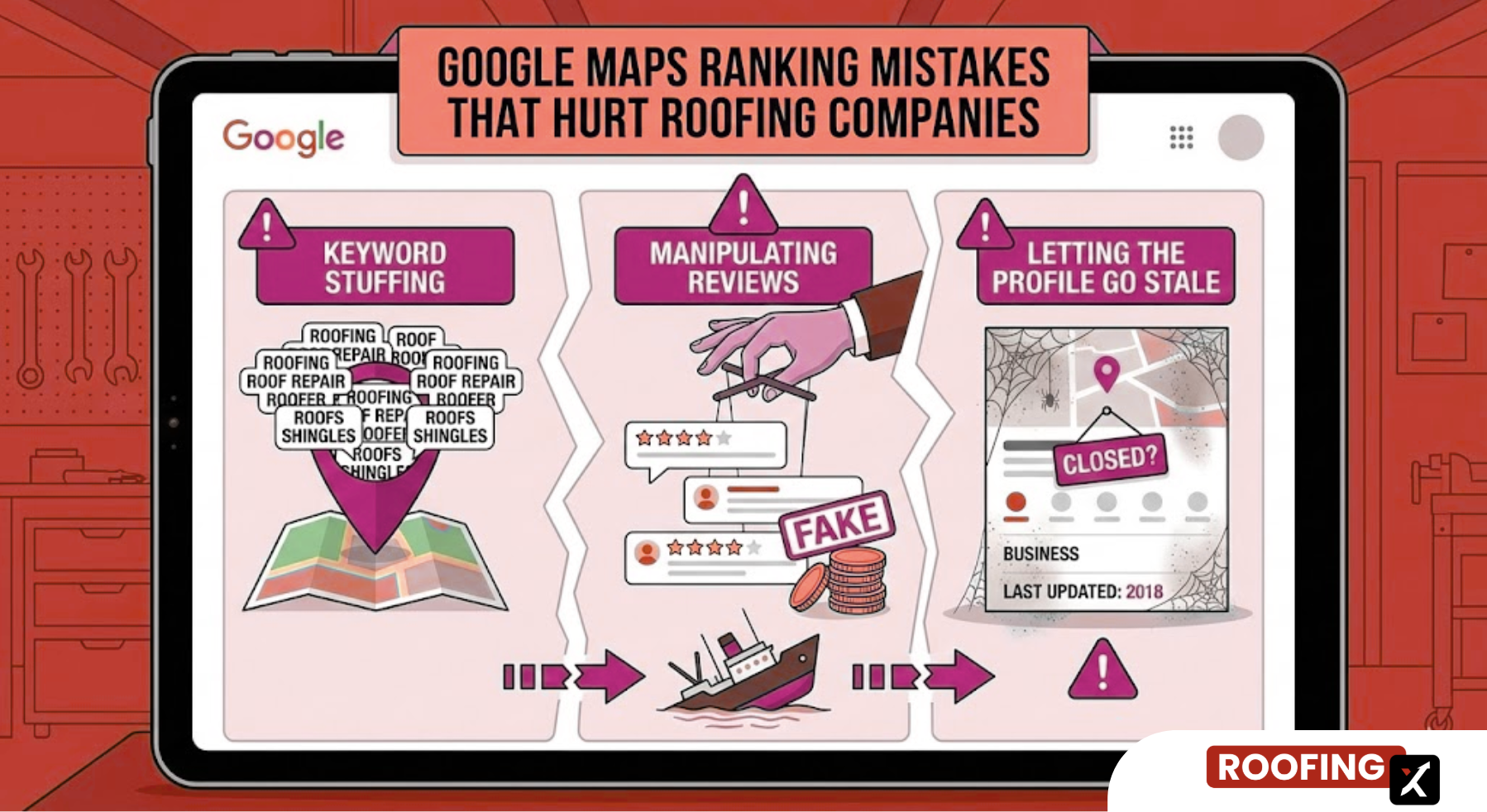
After auditing hundreds of roofing Google Business Profiles, I found that even if companies try to do Google Maps optimization for roofing, they repeat the same mistakes.
The biggest one is keyword stuffing the business name. Your Google name must match your real, legal business name. Adding phrases like “Best Roofer in Dallas” or “24/7 Emergency Roof Repair” violates Google’s guidelines. So, use roofing keywords ethically. Sometimes profiles get away with it for a while. Then they disappear overnight after a suspension. I’ve seen it happen more than once.
Another common issue is manipulating reviews. Review gating (only asking happy customers to leave reviews) is explicitly against Google’s rules. Buying fake reviews is even riskier! Google’s detection has improved significantly in recent years, and when accounts are flagged, reviews are often removed.
The last mistake is letting the profile go stale. Many roofers set up their Google Business Profile once and never touch it again. No new photos. No posts. No responses to reviews. Google favors active profiles, and competitors who stay engaged will slowly outrank inactive ones, even if everything else looks similar.
How Your Website Supports Google Maps Rankings
Your website and Google Business Profile don’t work in isolation. They are both part of a larger roofing SEO strategy.
Google doesn’t rank Maps listings in isolation. It cross-checks information between your GBP and your website to confirm that your business details, services, and locations are consistent and trustworthy.
Your website helps Google answer three key questions:
- Is this business legitimate?
- Does it offer the services listed on the profile?
- Is it relevant to searches in this location?
When your website clearly supports what’s shown on your GBP, Maps rankings become easier to earn; when it doesn’t, visibility stalls, even if your GBP looks solid.
This is why addressing gaps in your roofing website often improves Map Pack performance. In fact, after aligning website and GBP signals, I’ve seen roofing companies significantly increase lead volume without changing their ads or profiles.
How to Rank in Multiple Cities
Many roofing companies serve a wide geographic area. Ranking across multiple cities requires a different approach than ranking in a single city.
If you have a legitimate, staffed physical location in another city — with its own team serving that area, not just your main crew rotating through — you can create a second Google Business Profile for it. Virtual offices and P.O. boxes are ineligible and often result in suspensions.
For cities where you travel to work but don’t have an office, your website (not Google Maps) is the primary ranking tool. In Google Maps optimization for roofing, this distinction matters.
Build location-specific pages with unique content for each area, and support them with locally relevant posts and citations. This helps Google understand your service coverage without violating Maps guidelines.
Tip: Expand gradually. Claiming too many cities at once can trigger spam filters and slow progress, rather than improving visibility.
Turn Your Google Maps Presence Into a Lead Machine
Google Maps optimization for roofing is an ongoing work that compounds over time. The roofing companies that dominate the Map Pack consistently add reviews, post updates, and keep their information accurate.
Start with your GBP. Make sure every field is complete and correct. Then build reviews steadily, clean up your citations, and support everything with a fast, locally-focused website.
The Map 3-Pack is where roofing leads happen. Contact us, and we’ll help you get there!

.webp)