



Schema markup is a small block of code that labels the facts on your roofing website so Google and AI tools what those facts mean. It tells them that "(602) 555-0148" is your phone number, that "Scottsdale" is a city you serve, and that "hail damage roof replacement" is a job you do.
Most roofing websites need five schema types: RoofingContractor, Service, BreadcrumbList, WebSite, and Review/AggregateRating (where you show real reviews). Three more, FAQPage, Person, and ImageObject, are worth adding once the basics are in place.
The rest of this guide covers where each one goes, what it does for you in 2026, and the mistakes we see on most roofing sites we audit. Some popular advice is now outdated, and we'll flag it as we go.
Roofing Schema Markup at a Glance
What Is Schema Markup, in Plain Terms?
Schema markup is structured data written in a shared vocabulary from Schema.org, which Google, Bing, and other search engines all use. You add it to your pages as a JSON-LD script, the format Google recommends. It sits in the page code, and visitors never see it.
Two facts to know before you start:
- Schema is not a direct ranking factor. Google has said so, and your site can rank without it.
- Schema still matters for rankings. It may seem contradicting, but schema removes ambiguity about who you are, what you do, and where you work. That clarity feeds local results, Knowledge Panels, and the AI tools that now answer "who's a good roofer near me?"
Think of schema as part of your technical roofing SEO foundation.
The Essential Schema Types for Roofing Websites
1. RoofingContractor Schema
RoofingContractor is a specific subtype of LocalBusiness schema, under HomeAndConstructionBusiness. Using it instead of plain LocalBusiness tells search engines your exact trade.
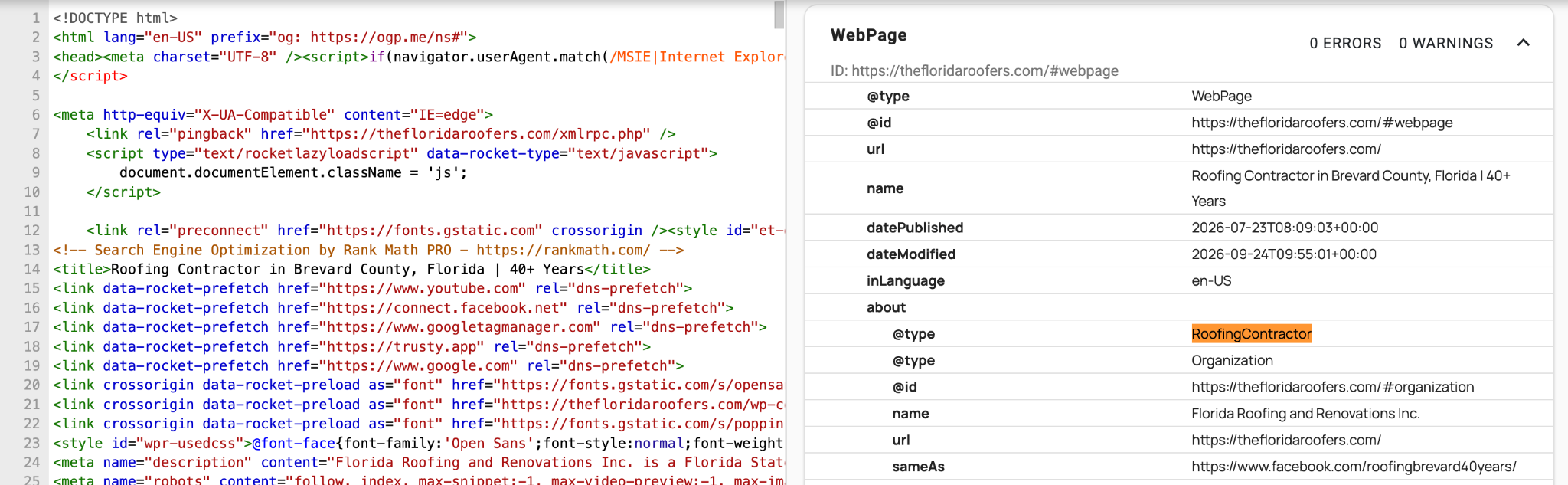
Don’t add a separate Organization schema on top. You don't need to. RoofingContractor already is an Organization, because LocalBusiness inherits from it.
Where it goes: We output it sitewide through the site template, not only on the homepage. That way every page can point back to the same business entity (more on that in the @id section).
Properties to include:
- name: exactly as it appears on your Google Business Profile
- url, logo, image
- telephone: the same number used on your GBP and in directories
- address: a PostalAddress (see the service-area note below)
- geo: latitude and longitude
- openingHoursSpecification: your office hours, or 24/7 if you run a real emergency line
- areaServed: the cities or counties you actually work in
- priceRange: optional, such as "$$"
- sameAs: links to your GBP, Facebook, BBB, Yelp, and manufacturer-certification directory profiles (GAF, Owens Corning, CertainTeed)
- knowsAbout: roofing materials and specialties, such as "asphalt shingles," "tile roofing," or "TPO"
Many roofers run from a home office and hide their street address on Google Business Profile. Your schema should match that. Include city, state, ZIP, and country, leave out streetAddress, and let areaServed describe where you work. Publishing a street address in schema that you've hidden on GBP creates the kind of mismatch that weakens trust signals.
Schema works best as one part of a consistent local picture, together with your Google Maps optimization for roofers.
2. Service Schema (One Per Service Page)
Roofers sell distinct jobs: roof repair, roof replacement, storm and hail damage repair, inspections, gutters, and commercial roofing. Service schema tells search engines that each of those pages describes a real service, who provides it, and where.
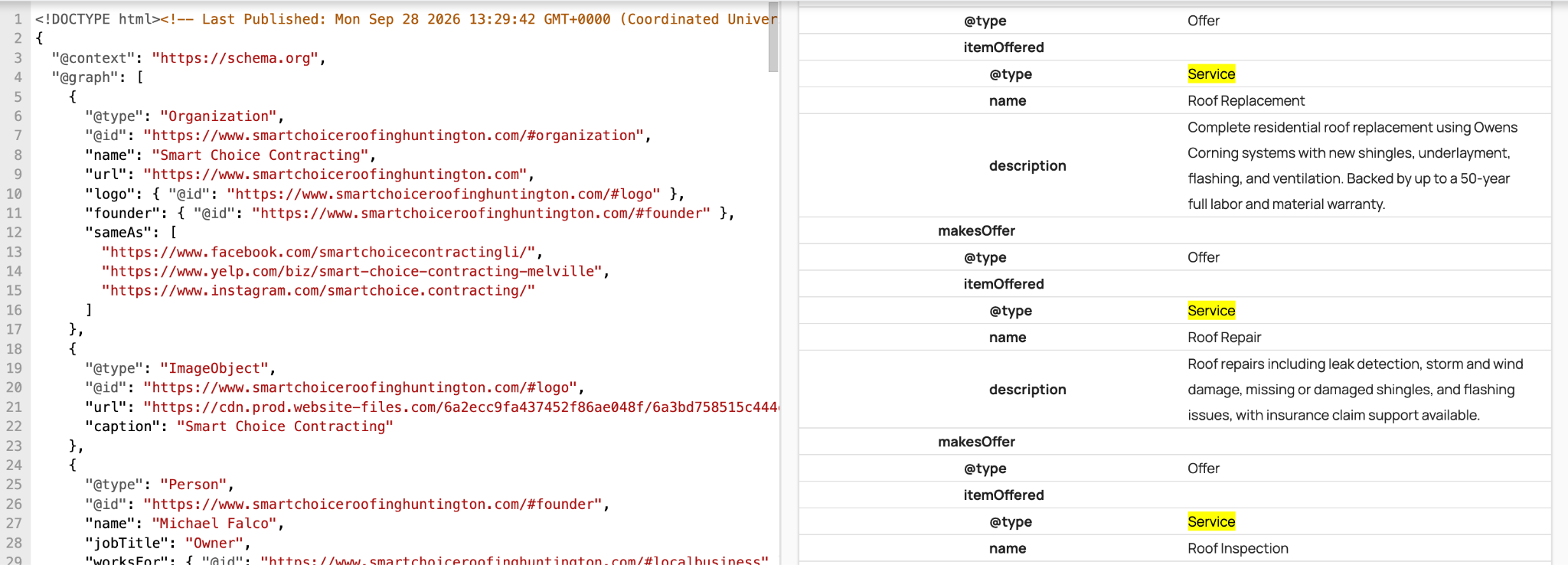
Where it goes: On each dedicated service page. Use one page and one Service block per service, rather than stuffing every service into one block on the homepage.
Properties to include:
- name: specific and matched to search intent ("Hail Damage Roof Replacement," not "Our Services")
- serviceType
- provider: a reference to your RoofingContractor entity
- areaServed
- url
- offers: only if you publish pricing, such as a free inspection or a fixed inspection fee
Service schema matters most for your highest-value pages. For a large Texas roofing company, we built dedicated pages around hail storm roof replacement and asphalt shingles, services competitors were ranking for while the client had no real presence. We paired it with localized schema and a technical cleanup. Six months in, the company saw a 3,532% increase in organic traffic, 80% more leads, and local service pages consistently in the top 3. Schema didn't cause that on its own, but it made sure Google understood exactly what those new pages were about.
3. BreadcrumbList Schema
Breadcrumb schema describes where a page sits in your site, such as Home > Services > Roof Repair. Google can show that path in search results instead of a long URL, and it reinforces your site structure.
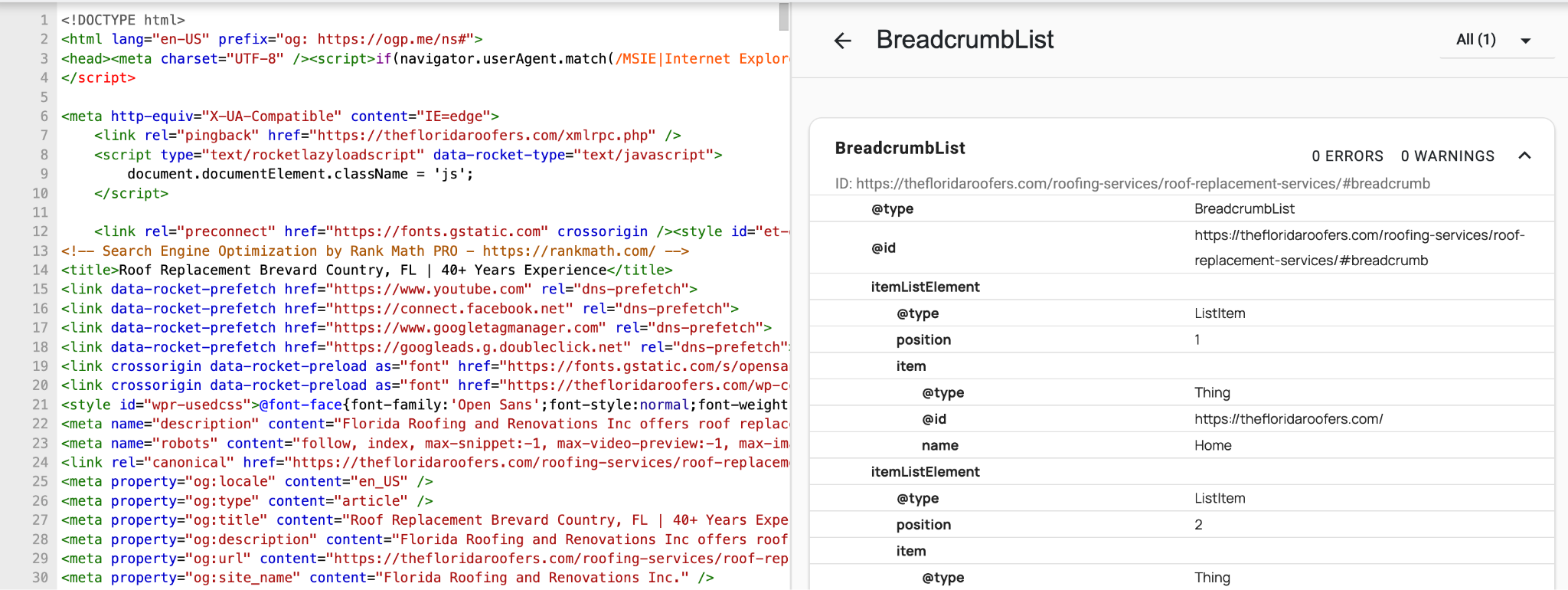
Where it goes: Every inner page. The breadcrumb path should match your real navigation and URL structure. If your site architecture is messy, fix that first, which is often a roofing web design problem as much as an SEO one.
4. WebSite Schema
This is a short block that identifies your website and links it to your business as the publisher. It helps connect your domain, brand name, and business entity.
You may still see guides recommending a SearchAction inside WebSite schema to win a "sitelinks search box." Google retired that feature in late 2024, so skip that part.
5. Review and AggregateRating Schema
This is where most guides mislead roofers, including the AI answers you'll see at the top of Google. They claim that by adding a review schema and you'll get gold stars in search results.
Since 2019, Google doesn't show review stars for "self-serving" reviews, meaning reviews a business hosts about itself and marks up under LocalBusiness or Organization. A roofing company marking up its own testimonials falls exactly into that category. You won't get stars in organic results.
Why we still use it: On pages that display real, verifiable customer reviews, review markup gives search engines and AI crawlers structured trust data. We add it where it's honest and accurate, and we don't sell it as a click-through-rate trick.
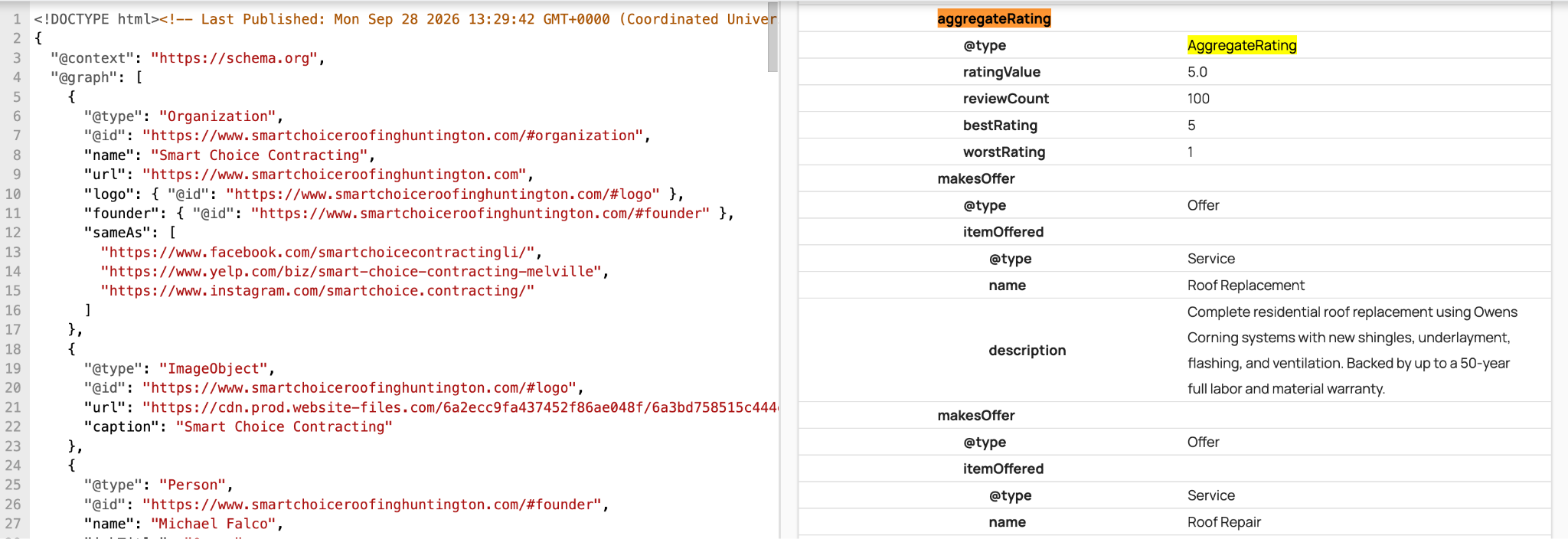
Rules to follow:
- Only mark up reviews that are visible on that page.
- Never copy Google or Yelp reviews into your schema.
- Keep the rating and count in the markup identical to what's shown on the page.
The stars homeowners see are your Google reviews in the Map Pack. Those come from a steady review process, not code. Our roofing reputation management guide covers how to build that pipeline.
Optional Schema That Adds Real Value
FAQPage Schema
If you've read that FAQ schema wins expandable Q&A dropdowns in Google, that information is out of date. Google deprecated the FAQ rich result, and FAQ rich results stopped appearing in search results on May 7, 2026. FAQPage is still a valid Schema.org type, and the markup can stay on your pages without causing problems.
So why add it at all? Roofing customers ask the same high-intent questions over and over:
- Does insurance cover hail damage?
- How long does a roof replacement take?
- Repair or replace?
- How long do asphalt shingles last in this climate?
Clear, visible answers to those questions are exactly the kind of content AI tools pull into their answers. FAQPage schema labels that content cleanly. Keep it if you already have it, and add it where you have genuine Q&A. Just don't expect a Google SERP feature from it.
What earns AI citations is the answer itself. It should be short, specific, local, and written by someone who knows roofs. That's a roofing content writing job first and a schema job second.
Person Schema for Owners and Estimators
Homeowners hire people, and Google weighs experience and expertise. Person schema on your About or Team page connects a real person to your business.
Properties to include: name, jobTitle, worksFor (a reference to your RoofingContractor entity), image, knowsAbout, and sameAs (LinkedIn or a manufacturer-certification profile).
This is especially useful when the owner is the face of the company or holds notable certifications.
ImageObject Schema for Project Galleries
ImageObject adds captions, dates, and context to your project photos, such as "Tile roof replacement in Scottsdale, AZ." It won't produce a rich result on its own. It helps search engines and AI tools understand your work, especially when paired with descriptive file names and alt text. Treat it as a nice extra for sites with a real project portfolio.
How Schema Helps a Roofing Company (What It Does and Doesn't Do)
Let's be precise here, this is what schema does:
- Reinforces your local facts. Your business type, service area, hours, and phone number become explicit. This supports your map and "roofer near me" visibility as part of your overall local signals.
- Helps AI tools describe you correctly. Google AI Overviews, ChatGPT, Perplexity, and Gemini build answers from what they can confidently parse. Clean, consistent facts reduce the chance an AI summary gets your services or service area wrong.
- Earns the rich results that still exist. Breadcrumbs and Knowledge Panel details are the main ones.
- Connects your pages into one entity. Your services, people, and locations point back to one business.
What schema doesn't do:
- It doesn't directly boost rankings.
- It doesn't produce review stars for your own testimonials.
- It doesn't produce FAQ dropdowns anymore.
- It doesn't fix thin content, a slow site, or a weak Google Business Profile.
We’ve seen schema works as part of a system on our client websites. For a San Antonio roofing company that was invisible in AI search, the fix combined several pieces. We rebuilt content with human roofing writers, launched ZIP-code-specific location pages with location schema, implemented RoofingContractor schema sitewide, and ran authority link building. Organic traffic went from 29 to 377 visits within three months. By month six, the business was being cited in Google AI Overviews, ChatGPT, Perplexity, and Gemini.
If AI visibility is your goal, our guide to AI SEO for roofers covers the rest of that system.
Connect Your Schema With @id
Most roofing sites we audit have schema, but it's scattered. A plugin adds one LocalBusiness block, a theme adds another, and service pages have nothing that connects back to the business. Search engines end up seeing several half-described entities instead of one clear company.
The fix is to give your business entity a permanent ID (@id) and reference it everywhere else. Your Service blocks point to it as the provider, your WebSite points to it as the publisher, and your team members point to it through worksFor. Grouped together with @graph, the result is one connected picture of your business.
Sitewide block (in your template):
<script type="application/ld+json">
{
"@context": "https://schema.org",
"@graph": [
{
"@type": "RoofingContractor",
"@id": "https://www.example.com/#business",
"name": "Summit Peak Roofing",
"url": "https://www.example.com/",
"logo": "https://www.example.com/images/logo.png",
"image": "https://www.example.com/images/crew.jpg",
"telephone": "+1-602-555-0148",
"priceRange": "$$",
"address": {
"@type": "PostalAddress",
"streetAddress": "2150 W Camelback Rd",
"addressLocality": "Phoenix",
"addressRegion": "AZ",
"postalCode": "85015",
"addressCountry": "US"
},
"geo": {
"@type": "GeoCoordinates",
"latitude": 33.5092,
"longitude": -112.1048
},
"openingHoursSpecification": [
{
"@type": "OpeningHoursSpecification",
"dayOfWeek": ["Monday", "Tuesday", "Wednesday", "Thursday", "Friday"],
"opens": "07:00",
"closes": "18:00"
}
],
"areaServed": [
{ "@type": "City", "name": "Phoenix, AZ" },
{ "@type": "City", "name": "Scottsdale, AZ" },
{ "@type": "City", "name": "Tempe, AZ" }
],
"knowsAbout": ["Tile roofing", "Asphalt shingles", "Foam roofing", "Roof repair"],
"sameAs": [
"https://www.facebook.com/summitpeakroofing",
"https://www.bbb.org/us/az/phoenix/profile/roofing-contractors/summit-peak-roofing"
]
},
{
"@type": "WebSite",
"@id": "https://www.example.com/#website",
"url": "https://www.example.com/",
"name": "Summit Peak Roofing",
"publisher": { "@id": "https://www.example.com/#business" }
}
]
}
</script>
Service page block (for example, /roof-repair/):
<script type="application/ld+json">
{
"@context": "https://schema.org",
"@graph": [
{
"@type": "Service",
"@id": "https://www.example.com/roof-repair/#service",
"name": "Roof Repair",
"serviceType": "Roof repair",
"url": "https://www.example.com/roof-repair/",
"provider": { "@id": "https://www.example.com/#business" },
"areaServed": [
{ "@type": "City", "name": "Phoenix, AZ" },
{ "@type": "City", "name": "Scottsdale, AZ" }
]
},
{
"@type": "BreadcrumbList",
"itemListElement": [
{ "@type": "ListItem", "position": 1, "name": "Home", "item": "https://www.example.com/" },
{ "@type": "ListItem", "position": 2, "name": "Services", "item": "https://www.example.com/services/" },
{ "@type": "ListItem", "position": 3, "name": "Roof Repair", "item": "https://www.example.com/roof-repair/" }
]
}
]
}
</script>
Because the business block loads sitewide, the provider reference on every service page points to a full entity on the same page.
If you have multiple locations, give each office its own RoofingContractor entity with its own @id, address, and phone number on its own location page. Connect each one back to the parent brand with parentOrganization.
Where Each Schema Goes: A Page-by-Page Map
How to Add and Test Schema on Your Roofing Website
- Generate the markup. On WordPress, plugins like Rank Math or Yoast handle the basics. Check that they output RoofingContractor. On Webflow or custom builds, paste JSON-LD into the page or template head. If you're choosing a platform, our comparison of the best roofing website builders covers how each one handles custom code.
- Add it to the right pages. Put sitewide entities in the template and page-specific blocks on their pages.
- Validate it with the Schema Markup Validator (validator.schema.org). It checks your syntax and properties. Fix every error. Warnings are optional, but review them.
- Check it with Google's Rich Results Test. This shows what Google can read and which rich results are still available, such as breadcrumbs.
- Monitor it in Google Search Console. Watch the enhancements and structured data reports for new errors after site updates, theme changes, or plugin updates. These are the most common reasons schema breaks silently.
Most of the schema problems we find come from sites that were set up once and never checked again. A roofing SEO audit catches duplicate entities, broken markup, and data that no longer matches your Google Business Profile.
Common Schema Mistakes Roofing Companies Make
- Using generic LocalBusiness instead of RoofingContractor. It's a free precision win, so take it.
- Schema that contradicts your Google Business Profile. A different phone number, an old address, or hours that don't match. Consistency across your site, GBP, and directories matters more than any single property.
- Duplicate business entities. The theme adds one, a plugin adds another, and a page builder adds a third. Keep one business entity and reference it everywhere.
- Marking up third-party reviews. Copying Google or Yelp reviews into your markup violates Google's guidelines.
- Marking up content that isn't on the page. Every fact in your schema should be visible to visitors.
- Keyword-stuffing areaServed. List the areas you actually serve, not every ZIP code in the state.
- Chasing features that no longer exist. FAQ dropdowns, HowTo cards, and the sitelinks search box are all gone. Build for accuracy, not for retired SERP features.
- Never updating it. New services, a new office, changed hours, or a new phone number should all be updated in your schema the same day.
The Bottom Line
Start with RoofingContractor schema, sitewide and consistent with your Google Business Profile. Add Service schema to every core service page, include BreadcrumbList and WebSite, and connect everything with @id. Add review, FAQ, Person, and ImageObject markup where it's honest and useful. Then validate everything and check it after every site change.
Schema is one layer of a roofing site that ranks and gets cited. If you want the full picture, start with our roofing SEO guide. If you'd rather have it handled, contact us, and we’ll handle the implementation and maintenance all for you.
Frequently Asked Questions
Do Roofing Websites Need Schema Markup to Rank?
No. Schema isn't a direct ranking factor, and sites can rank without it. It does make your business facts unambiguous to Google and AI tools, which supports local visibility and helps AI summaries describe you correctly. For the cost of setting it up, it's worth doing.
Should Schema Be on Every Page of My Roofing Website?
Your core business entity (RoofingContractor plus WebSite) should load sitewide so every page can reference it. Page-specific schema, such as Service, FAQPage, Person, and ImageObject, belongs only on the pages it describes.
Does Schema Help with AI Search Tools like ChatGPT and Google AI Overviews?
It helps AI tools read your business facts accurately. On its own, it won't get you cited. In our experience, AI citations come from schema combined with strong, specific content, consistent listings, and mentions on sites AI tools already trust.

.webp)